
ExTiX 25.12 – a live remix of upcoming Ubuntu 26.04 LTS – with LXQt 2.2, Refracta Snapshot and kernel 6.17.8-amd64-exton ::: Build 251201
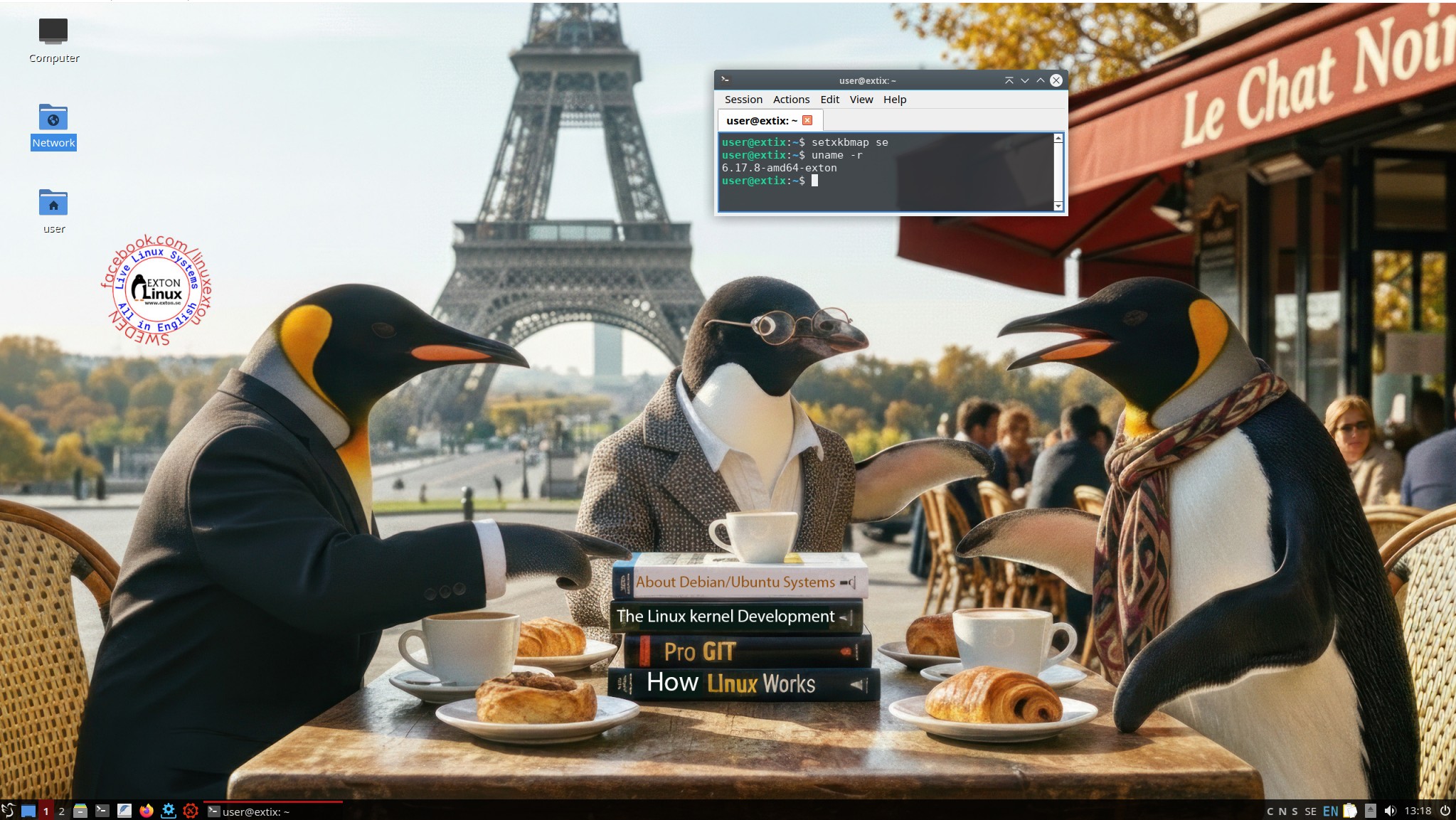 ExTiX 25.12 LXQt – Build 251201
I have made a new version of ExTiX – The Ultimate Linux System. I call it ExTiX 25.12 LXQt Live System. (The previous LXQt version was 24.12 from 241223). ExTiX 25.12 is a very premature remix of Ubuntu 26.04 LTS (Resolute Raccoon). Ubuntu 26.04 LTS will be supported until July 2031.
FEATURES
The best thing with ExTiX 25.12 is that while running the system live (from DVD/USB) or from hard drive you can use Refracta Snapshot (pre-installed) to create your own live installable Ubuntu system. So easy that a ten year child can do it! One other very good thing with this version of ExTiX is that it is quite light. The ISO file is of only 2440 MB, which means that you can run the system super fast from RAM. When the boot process is ready you can eject the DVD or USB stick. Use Boot alternative 2 or Advanced options… >> load to RAM.
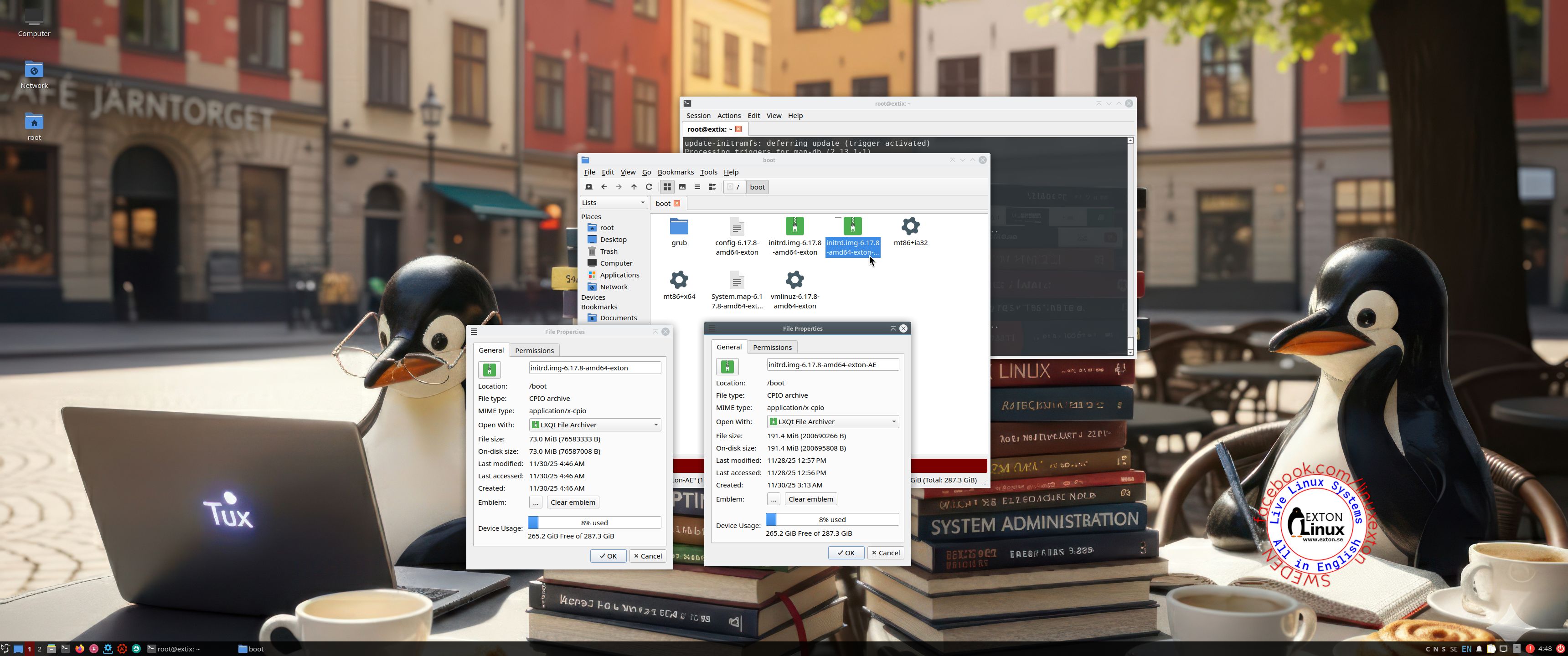
NOTE: I had to install (keep) Dracut, which is a replacement for initramfs-tools in Ubuntu from version 25.10. Dracut is an initramfs generator using udev. To be able to install/keep Dracut I had to uninstall important live tools, which means that the initrd.img (in /boot) can’t be used when creating a new ISO with Refracta Snapshot. I have therefore kept a copy of a bigger and necessary initrd.img in /boot. It is called initrd.img-6.17.8-amd64-exton-AE. Before starting Refracta Snapshot you must delete /boot/initrd.img-6.17.8-amd64-exton and change the name of initrd.img-6.17.8-amd64-exton-AE to initrd.img-6.17.8-amd64-exton. Watch a screenshot showing that initrd.img-6.17.8-amd64-exton-AE is much bigger than initrd.img-6.17.8-amd64-exton – 191MB compared to 73MB. You should always keep a copy of initrd.img-6.17.8-amd64-exton-AE. The reason for installing/keeping Dracut is that it is needed if you want to install Ubuntu’s original kernel. Right now kernel 6.17.0-6-generic. Watch a screenshot when said kernel is being installed.
Study all pre-installed packages in ExTiX 25.12…
ABOUT Build 251201
ExTiX 25.12 LXQt, 64 bit, is based on Debian Sid and upcoming Ubuntu 26.04. The original system includes the Desktop Environment Gnome. After removing Gnome I have installed LXQt 2.2. LXQt is the Qt port and the upcoming version of LXDE, the Lightweight Desktop Environment. It is the product of the merge between the LXDE-Qt and the Razor-qt projects: A lightweight, modular, blazing-fast and user-friendly desktop environment. NOTE: This ExTiX LXQt Build is for installation to UEFI-enabled or non-UEFI computers. You shall use Refracta Installer for that. In previous versions of ExTiX LXQt Calamares Installer could be used. That is for the moment not possible because of Ubuntu’s switch to Dracut.
The system language is ENGLISH.
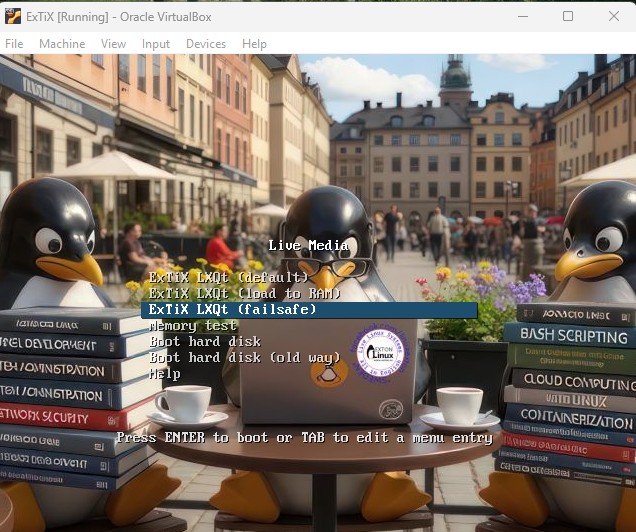
The boot screen when running ExTiX LXQt live. I.e from a DVD or a USB stick.

WHAT’S SO SPECIAL about ExTiX and especially the new version from 251201?
1. The ExTiX ISO’s are ISO-hybrids, which means that they can very easily be transferred (copied) to a USB pen drive. You can even run ExTiX from the USB stick and save all your system changes on the stick. I.e. you will enjoy persistence!
2. Another big improvement is that all ExTiX versions can run from RAM. Use Boot alternative 2 (load to RAM). When the system has booted up you can remove the disc (DVD) or USB stick. You’ll need least 4 GB RAM to run ExTiX that way. Running from RAM means that the system will run faster than from a DVD or a USB stick. Everything will be super fast I would say! Especially since the ISO file is of only 2440MB!
3. All packages have been upgraded to the latest version by 251201. Keep your installed ExTiX/Ubuntu 26.04 system up to date by running two commands: sudo apt update and sudo apt upgrade. Soon you will be among the first to have Ubuntu 26.04 stable!
4. I’ve replaced original kernel 6.17.0-6-generic with kernel 6.17.8-amd64-exton. That is done to make Refracta Snapshot work.
5. I have replaced Ubuntu’s installation program Ubiquity (live installer) with Refracta Installer. It works very well. Just start the installer from the menu under System. Read below about how to use Refracta Installer.
6. The best thing with ExTiX 25.12 is that while running the system live (from DVD/USB) or from hard drive you can use Refracta Snapshot (pre-installed) to create your own live installable Ubuntu system.
ABOUT Snaps
I have removed all snaps and snapd (The snap daemon) altogether from ExTiX 25.12 following the advice’s here. The main reason for that was that the ExTiX ISO became too big with snaps installed.
Log in to LXQt
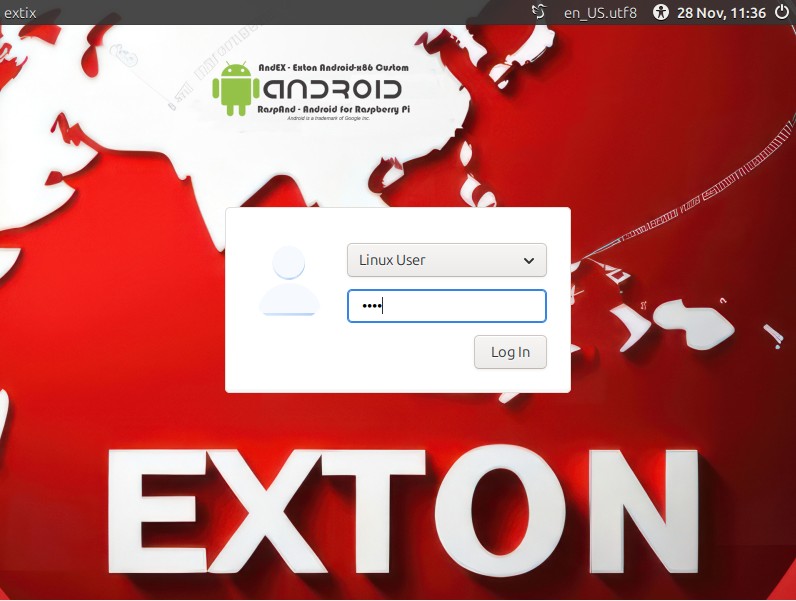
When the live boot process is ready you will end up in X and the LXQt Desktop logged in as the ordinary use live – screenshot. You can log out and log in again as root if you want. The password for root is root. The password for user is live. While logged in as user you can use Sudo to become root. Examples: sudo su and sudo pcmanfm-qt.
USB installation
Read my instruction. In Windows you shall/must use Rufus. Using for example Etcher won’t make the USB stick bootable.
Network connections
I have replaced Wicd with NetworkManager. It works better. When using an Ethernet connection you may have to find out your Network Interface with the command sudo ifconfig and then run the command sudo dhclient eth0 (for example). Normally you will be connected automatically though. When using a WiFi connection just click on the nm-applet down to the right. Choose your Network, give your password and connect.
Used KERNEL
“My” special kernel 6.17.8-amd64-exton.
Install ExTiX to hard drive
Just start the install program Refracta Installer from the LXQt Menu/System and follow the instructions. You should read my general Linux Install Instructions first. Regarding the installation of ExTiX 25.12 you should think of the following:
1. You should install ExTiX on a premade partition of at least 40GB.
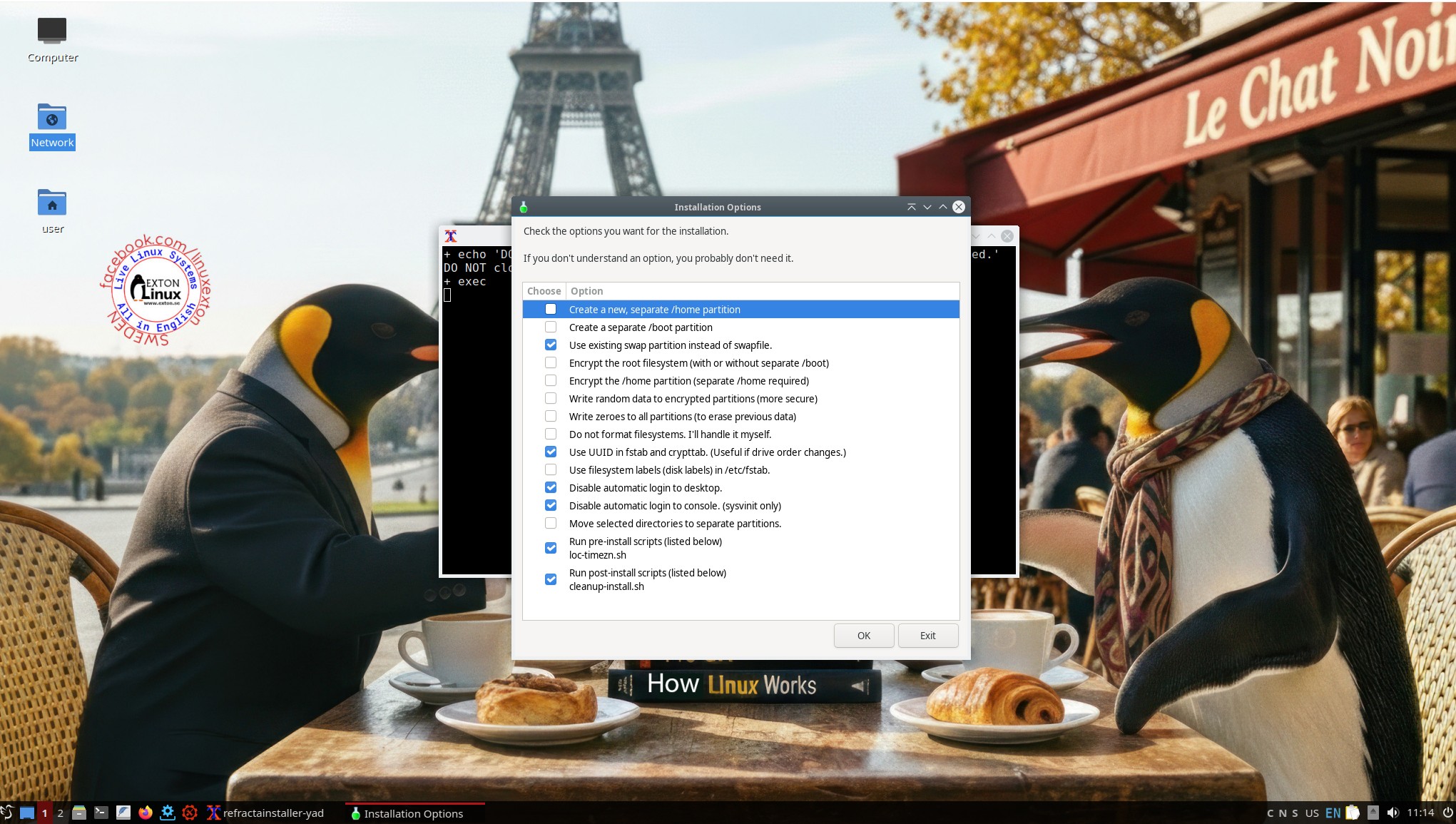
2. You should configure the installation as this screenshot shows.
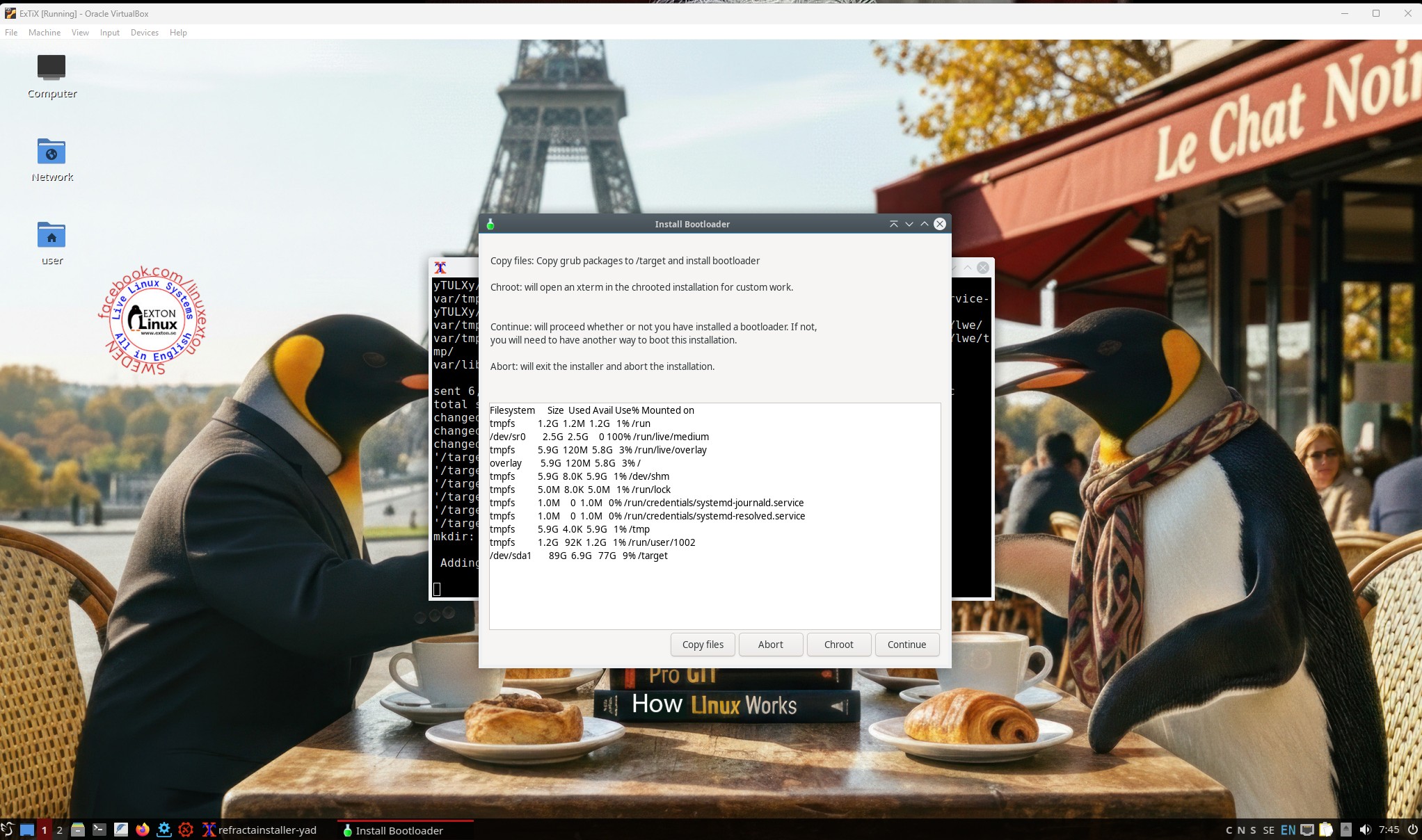
3. If you need to install Grub (in for example VirtualBox or VMware) you shall choose to copy Grub packages to /target as this screenshot shows.
4. If you already have one or several Linux systems installed on you computer you shall (of course) refrain from installing Grub again. Just add boot start lines for ExTiX in /boot/grub/grub.cfg or /etc/grub.d/40_custom. The boot lines can look like this – see below.
menuentry ‘ExTix 25.12 251201 (sda4 – SAMSUNG)’ –class ubuntu –class gnu-linux –class gnu –class os $menuentry_id_option ‘osprober-gnulinux-simple-9a12bb55-cf1e-4f08-b113-e1a9fdfe4a18’ {
load_video
insmod gzio
if [ x$grub_platform = xxen ]; then insmod xzio; insmod lzopio; fi
insmod part_msdos
insmod ext2
set root=’hd0,msdos4′
if [ x$feature_platform_search_hint = xy ]; then
search –no-floppy –fs-uuid –set=root –hint-bios=hd0,msdos4 –hint-efi=hd0,msdos4 –hint-baremetal=ahci0,msdos4 9a12bb55-cf1e-4f08-b113-e1a9fdfe4a18
else
search –no-floppy –fs-uuid –set=root 9a12bb55-cf1e-4f08-b113-e1a9fdfe4a18
fi
linux /boot/vmlinuz-6.17.8-amd64-exton root=UUID=9a12bb55-cf1e-4f08-b113-e1a9fdfe4a18 ro $vt_handoff
initrd /boot/initrd.img-6.17.8-amd64-exton
}
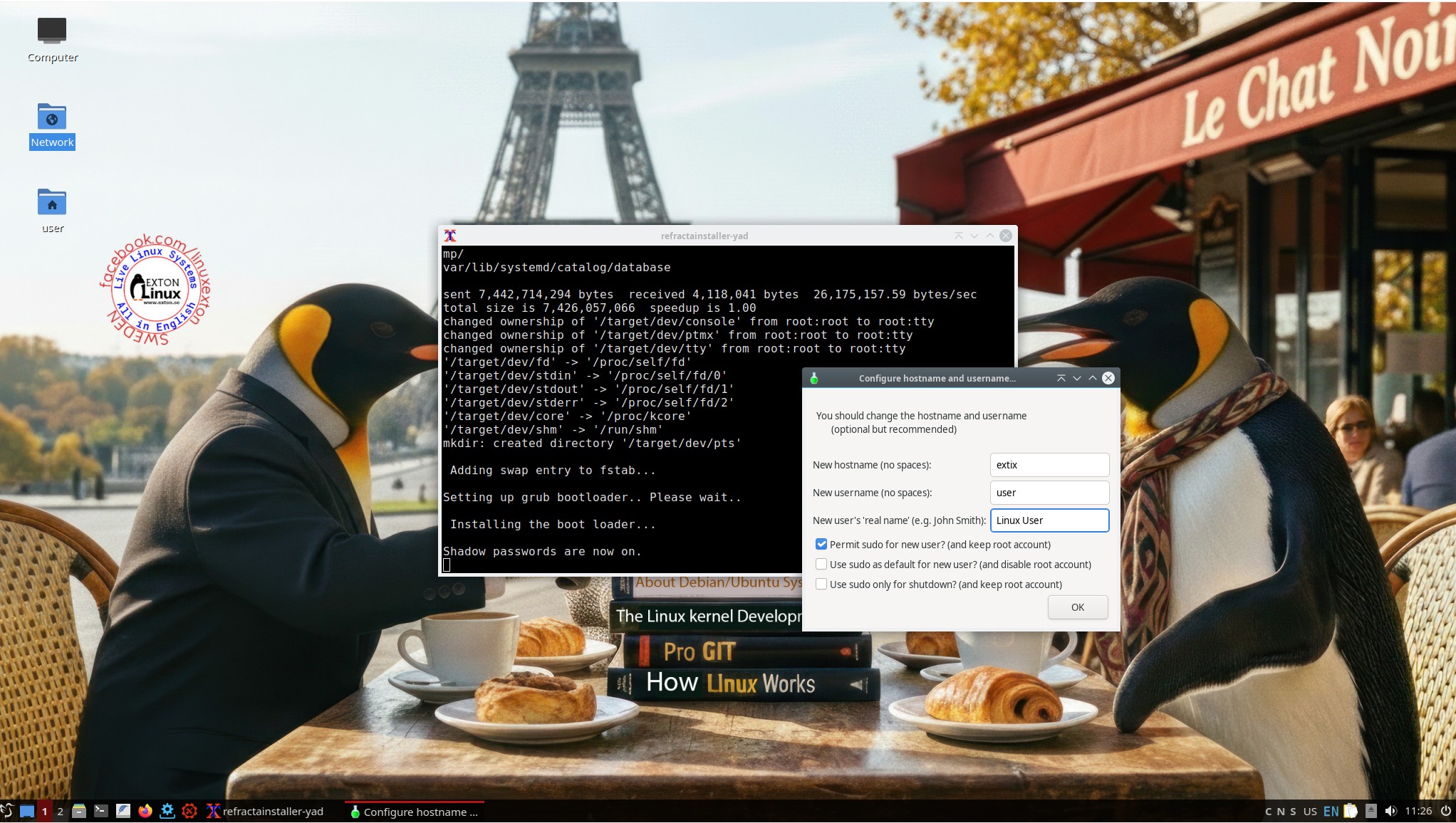
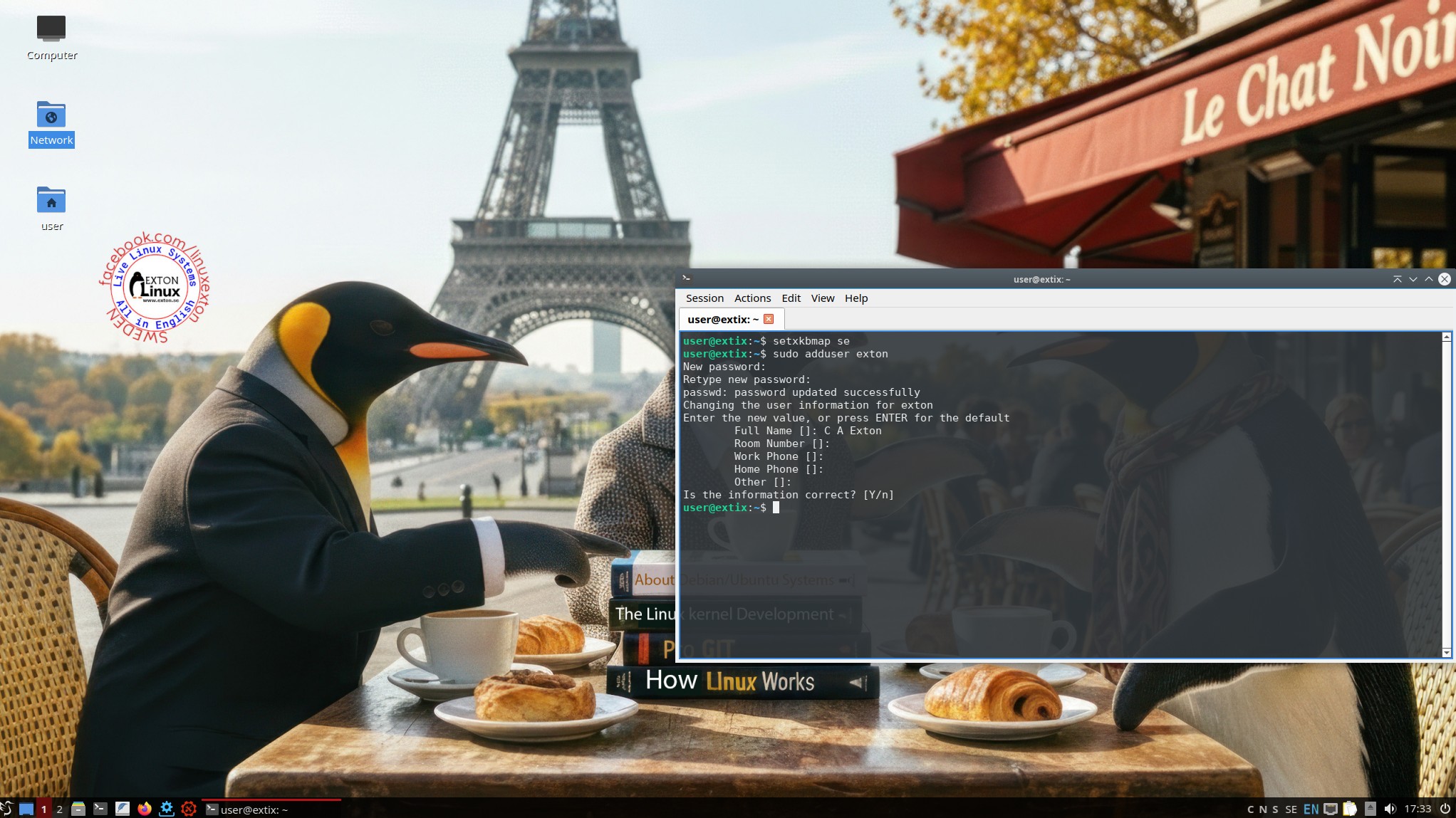
5. Finally you shall add a user and password. Do like this screenshot shows. I.e. keep the username user for the time being. You can always add a new user later on as this screenshot shows.
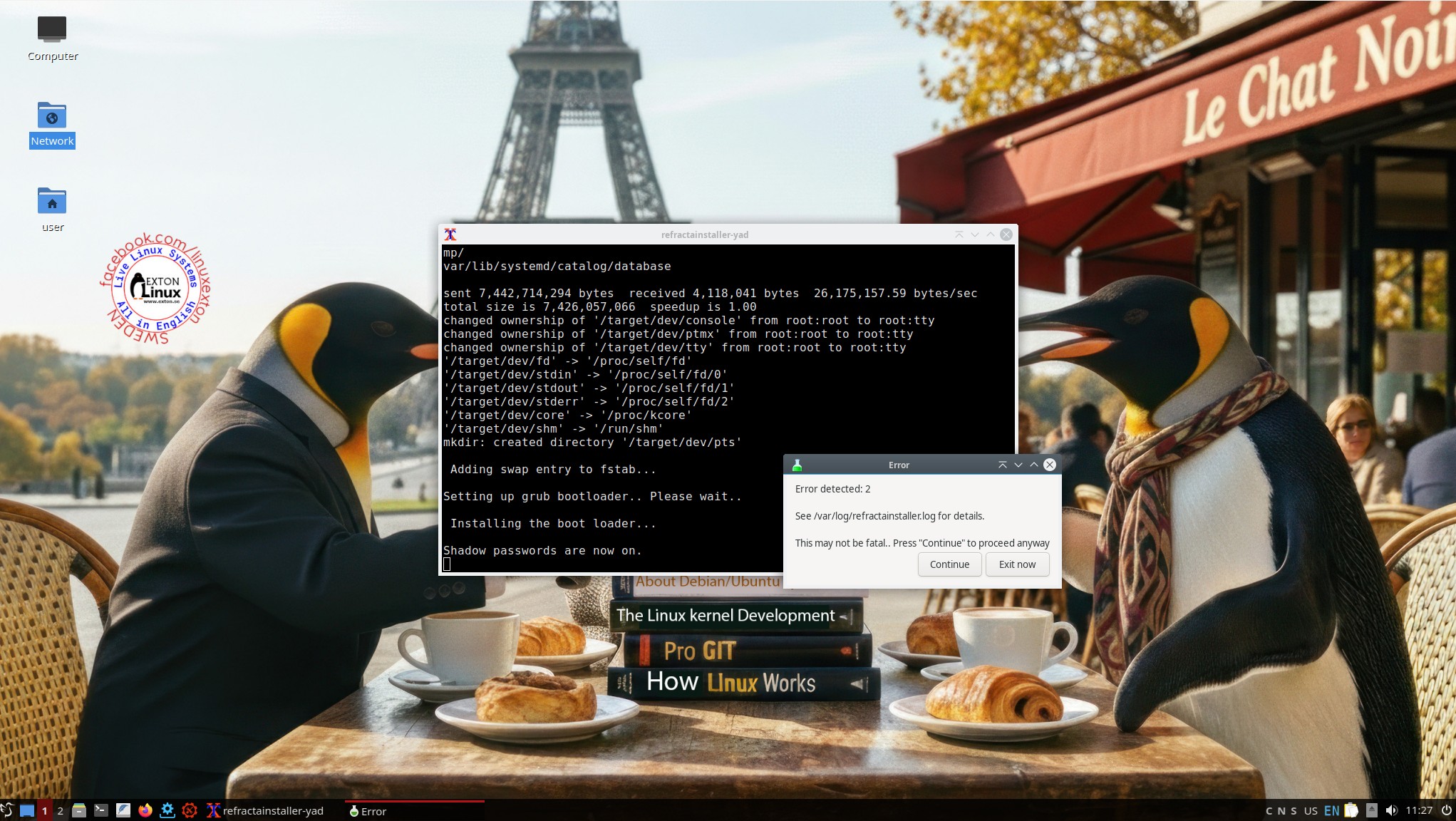
6. After that you will see this error message. Just ignore it and close the installer window. The installation is ready!
VirtualBox and VMware
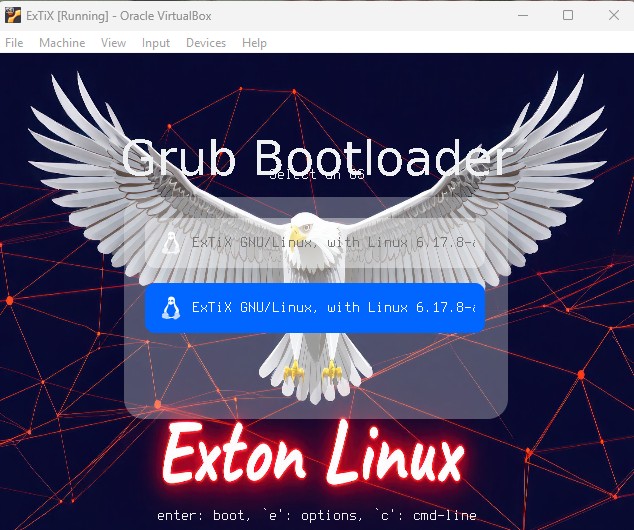
ExTiX LXQt 25.12 runs very well live in VirtualBox and VMware. You may have to start ExTiX in failsafe mode – screenshot. That can be the case even after a virtual hard drive installation – see this boot menu…
Important about Refracta
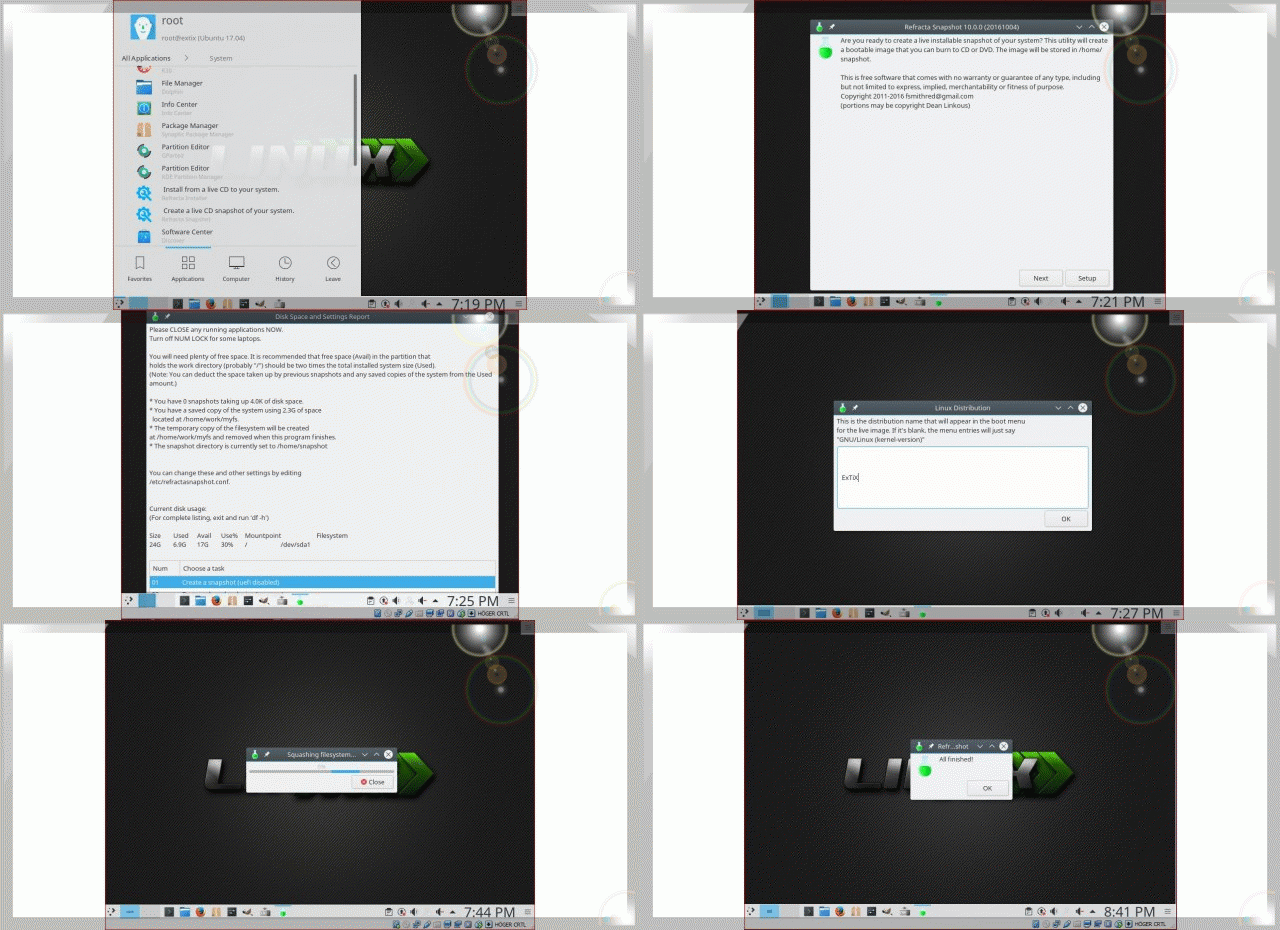
You can use the Refracta Snapshot (pre-installed in ExTiX 25.12) for creating your own installable Ubuntu 26.04 Live System once you have installed ExTiX to hard drive. I mean change everything and then create a whole new Ubuntu live system. Start Refracta Snapshot from Menu >> System >> Create a live CD snapshot of your system. You don’t even have to install ExTiX to hard drive before you can use the Refracta tools. If you have plenty of RAM you can create a new (your own!) Ubuntu system while running ExTiX from DVD or a USB stick. Please note that the whole Refracta process (creating your new ISO) only will take 10 – 30 min! You’ll find the ISO in /home/snapshots. The whole thing is very simple. Watch a slideshow showing how easy it is to use Refracta Snapshot. NOTE: You may have to do it in three steps (1,2,3) as this screenshot shows.
NOTE: You can run Ubuntu’s original kernel 6.17.0-6-generic and still use Refracta Snapshot. Just don’t uninstall/remove “my” kernel 6.17.8-amd64-exton(AE) before running Refracta Snapshot. And don’t remove the links /vmlinuz and /initrd.img to my kernel. Your new ISO will then be created without problems.
Sound problems?
Study this instruction.
THE IMPORTANCE OF ExTiX 25.12 Build 251201 being based on UPCOMING Ubuntu 26.04 LTS
Programs won’t “crash” or anything like that. And I haven’t noticed any important “bugs”. That said you should of course be a bit careful. Version 251201 of ExTiX is for people who like to use “cutting-edge” software and the latest kernels etc. You will always have the latest Ubuntu software installed if you regularly run the command sudo apt update && sudo apt upgrade. If you do that for example every week you can be among the first to have Ubuntu 26.04 STABLE installed.
SCREENSHOTS
1. ExTiX LXQt 25.12 – root’s Desktop
2. ExTiX LXQt 25.12 – user’s Desktop
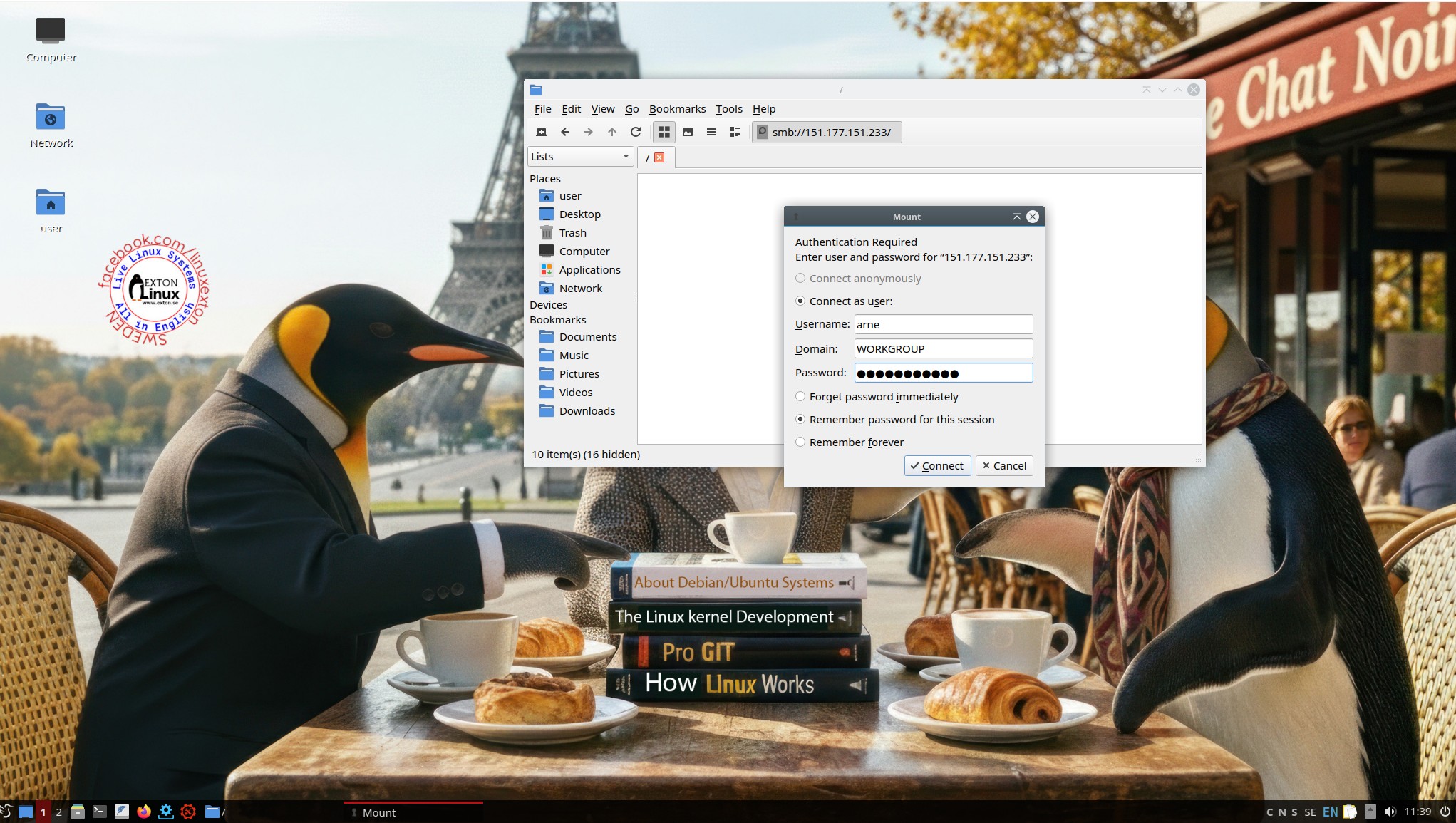
3. ExTiX LXQt 25.12 – showing a Samba connection
4. ExTiX LXQt 25.12 – running in VMware
DOWNLOAD
Download ExTiX 25.12 from SourceForge.net – Fast, secure and free downloads from the largest Open Source applications and software directory.

You can also download ExTiX 25.12 from the Swedish Linux Society.
md5sum for extix-25.12-64bit-lxqt-refractasnapshot-2440mb-251201.iso





Read about my Android-x86 Systems – 11, 10, Pie, Oreo, Nougat, Marshmallow, Lollipop and KitKat at andex.exton.net – latest is AndEX 11 (with GAPPS), AndEX 10 (with GAPPS) and AndEX Pie 9.0 (also with GAPPS)!
and
about my Android 16, 15, 14, 13, 12, 11, 10, Pie, Oreo, Nougat, Marshmallow and Lollipop versions for Raspberry Pi 5, Pi 4 and Pi 3/2 at raspex.exton.se – latest is RaspAnd 16 (with GAPPS), RaspAnd 15 (also with GAPPS), RaspAnd 14 (also with GAPPS), 13 and 12 (without GAPPS), RaspAnd 11 (with GAPPS) and RaspAnd Oreo 8.1 (also with GAPPS)! 